Locations
The Locations section is used to manage individual organizational locations, such as branches, offices, or other organizational units. Locations are used when working with projects, budgets, and procurement processes.
Viewing the List of Locations
- The administrator logs in to the ProcureSwift application.
- In the main menu, navigate to Projects.
- Select Locations.
The Manage Locations screen displays a list of all created locations, including basic information such as the location name and country.
Creating a New Location
- In the Locations section, click the Create button.
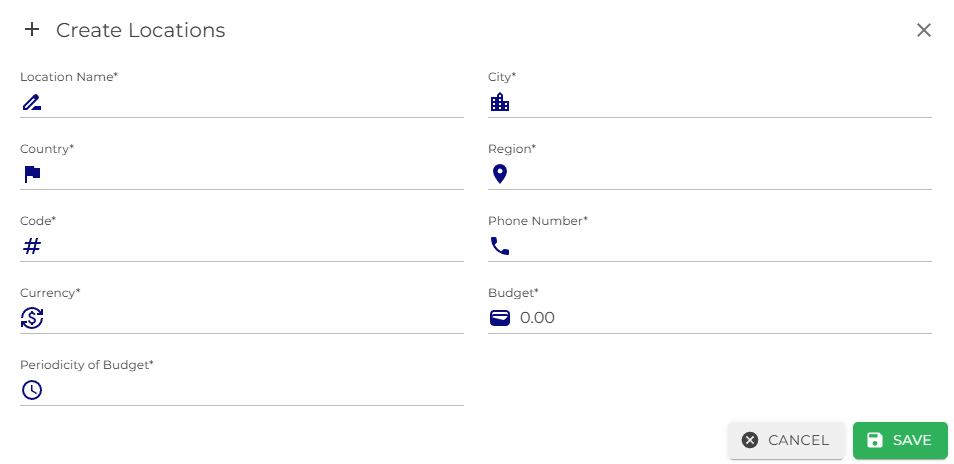
- The Create Locations form will open, where required fields must be completed.
- After filling in all mandatory fields, click Save.
Once saved, the location will appear in the list of locations.
Editing or Deleting a Location
In the list of locations, each location includes an Actions menu that allows the user to:
- edit the location details,
- delete the location.