Tenant Settings
The Tenant settings section allows administrators to define user registration rules based on email domains. It enables administrators to specify which domains are allowed or blocked during user registration.
If a user cannot register due to a restricted email domain, the administrator must update the settings in this section.
- The administrator logs in to the ProcureSwift application.
- In the main menu, navigates to Settings.
- Selects Tenant settings.
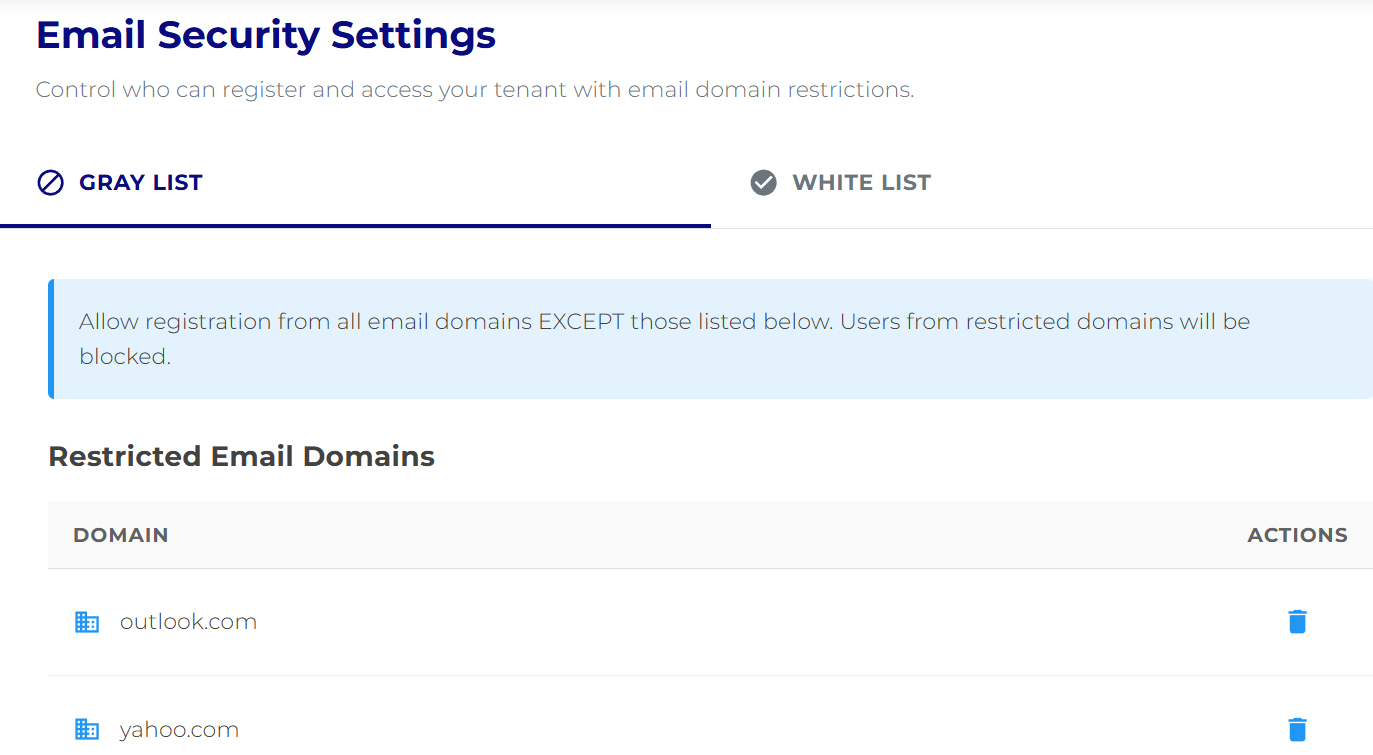
The Email Security Settings screen is displayed.
Gray List (Blocked Domains)
The Gray list mode allows registration from all email domains except those that are explicitly blocked.
- Enter the domain name in the Domain to restrict field (e.g., gmail.com).
- Click Restrict Domain.
- Click Save Changes.
White List (Allowed Domains)
The White list mode is a stricter security setting. Registration is allowed only from domains that are explicitly permitted.
Characteristics:
- all other domains are automatically blocked
- suitable for organizations with clearly defined corporate email domains
Adding an allowed domain:
- Enter the domain name in the Domain to allow field (e.g., yourcompany.com).
- Click Allow Domain.
- Click Save Changes.